

Noted
Noted

AI-style chat note commands
Offline-first, local-only storage
Password-protected private notes

Key Features of Noted
Transform your experience with Noted's main features.
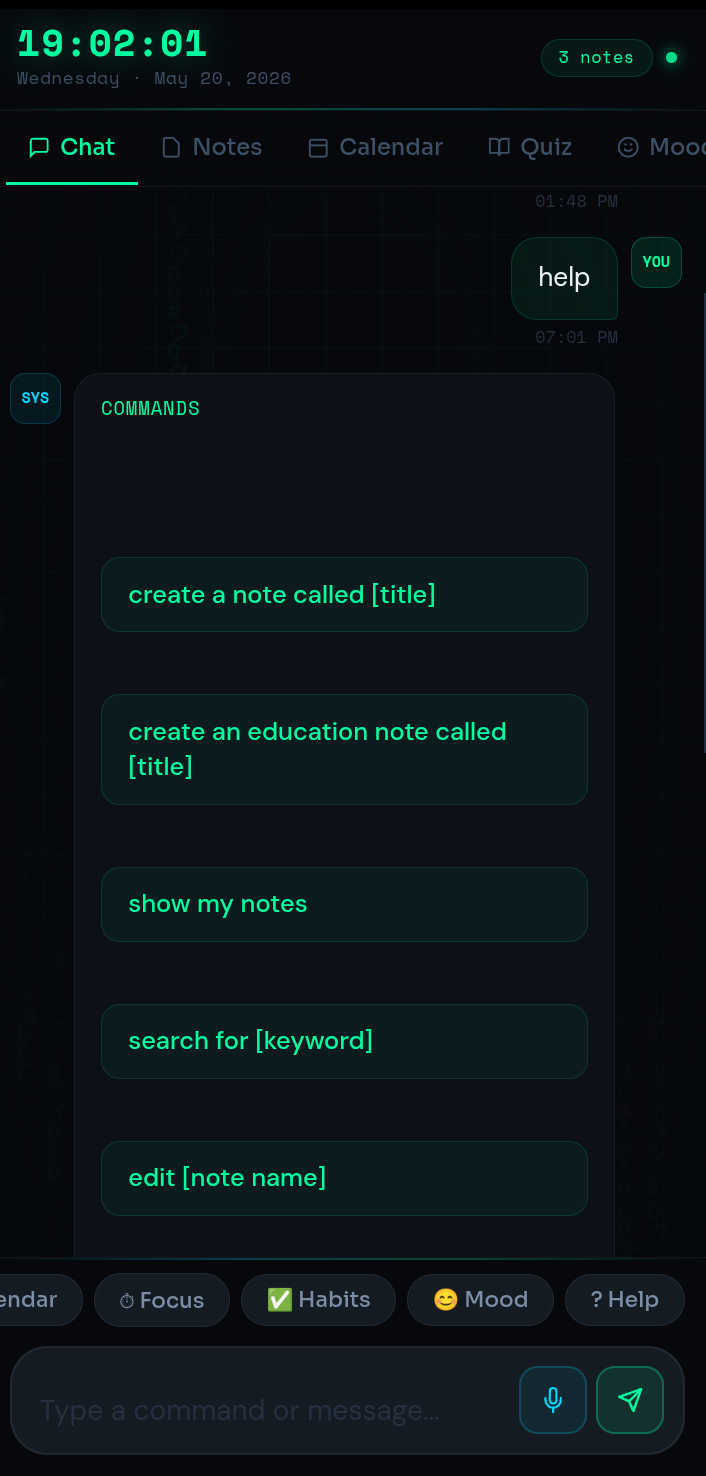
AI-style chat note commands
Create and manage notes using natural chat-like commands (e.g., “Create a note called Ideas”, “Show my work notes”) for faster capture and organization.
Explore features and benefits.
Experience innovation at hand.
Download and start using.
Offline-first, local-only storage
Works completely offline and stores data directly on your device (LocalStorage), with no internet, servers, or cloud dependency.
Improved performance and stability.
Regular software updates.
Enhanced user experience.
Why choose Noted
Streamline your life with Noted today!

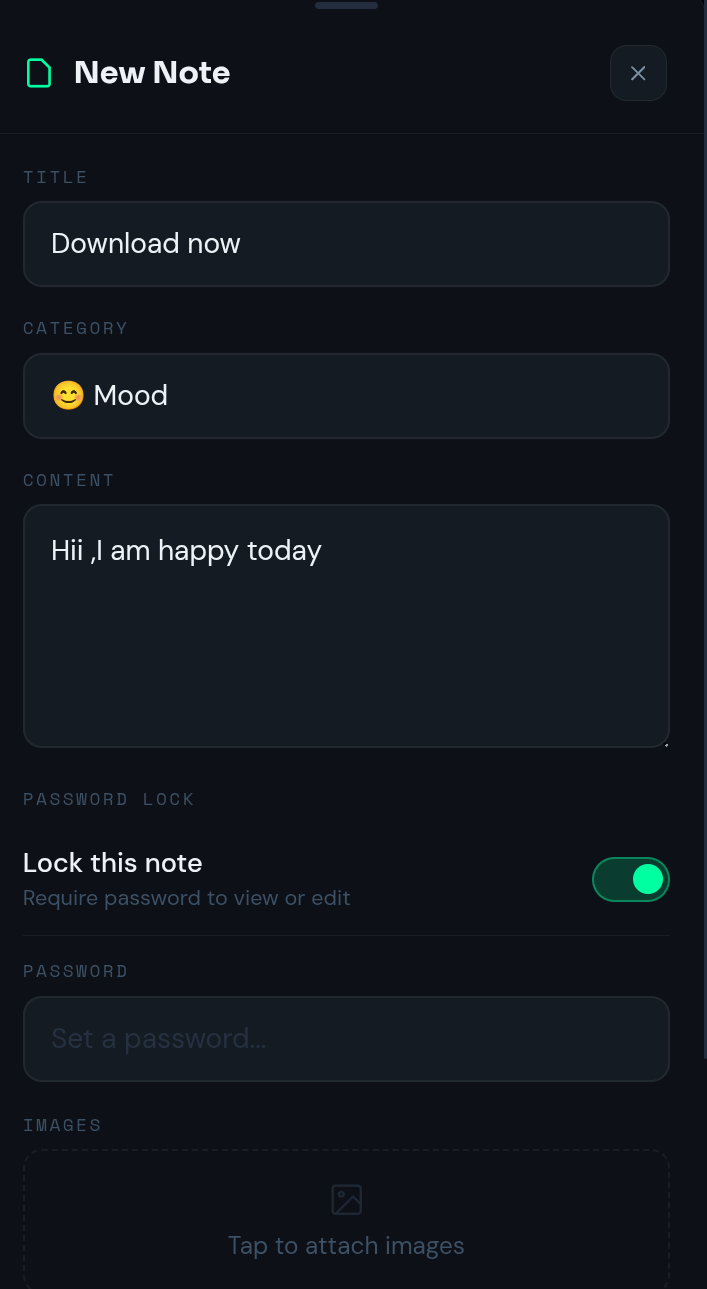
Password-protected private notes
Lock sensitive notes behind a password for extra privacy, keeping personal content separated and secure.

Smart organization + search
Real-time search and filtering help you quickly find notes, categories, and content as your library grows.

Image attachments
Attach images to notes to keep visual references, screenshots, or supporting materials alongside your text.


Reviews about Noted
Discover our users' feelings and comments.
I've been using Noted for a while, and it’s amazing! The design is intuitive, and the features work seamlessly.

Ridita
May 22, 2026
I can't get enough of Noted! It’s fun and engaging. It’s worth every download!
Oishi
May 11, 2026
Noted has greatly enhanced my experience. The performance is top-notch. Five stars from me!
Aria
Apr 27, 2026
FAQs about Noted
Browse the most frequently asked questions that you may interested in.
What is Noted?
Noted is a premium productivity and note-taking app with a modern neon “glassmorphism” design. It includes an AI-style chat-based note system, smart organization tools, focus systems, quizzes, calendar features, mood/habit tracking, image attachments, and password-protected private storage.
Does Noted work offline, and where is my data stored?
Yes. The official site states Noted works completely offline and stores everything locally on your device using LocalStorage—no internet and no servers—so your data stays on your device.
How do the AI-style chat notes work?
You can create and manage notes using chat-like commands such as “Create a note called Ideas,” “Show my work notes,” “Lock this note,” and “Search for study notes,” according to the official site.
Can I lock or password-protect notes in Noted?
Yes. Noted supports password-protected private notes and lets you lock notes (e.g., via a command like “Lock this note”), per the official site.
Can I attach images to notes?
Yes. The official site lists image attachment support as a main feature.
Does Noted include study and productivity tools beyond basic notes?
Yes. The official site lists features such as a quiz & education note creator, focus timer/productivity tools, habit tracking, mood tracking, calendar integration, and real-time search/filtering.
Is Noted lightweight and mobile-optimized?
Yes. The official site describes Noted as lightweight, fast, and mobile optimized, with offline functionality.
Start your free trial for Noted today!
Enjoy your everyday with Noted.
Let's keep in touch!
Subscribe to our newsletter for the latest news and updates.
By subscribing, you agree to Noted Privacy Policy.